The Parent's Shield: Navigating the Digital Playground Safely (2026 Edition)
1. The New Reality: Why "Just Saying No" Doesn't Work
In an era where digital immersion is not optional, the role of the parent has shifted from "Gatekeeper" to "Guide." For young gamers on platforms like OMG.LAND, the internet is their first public space. This guide provides the framework to ensure that space remains a place of growth, not risk.
The "Digital Door" Analogy
Explain to your child that entering an online arcade is like walking through a door into a giant, global park. You wouldn't walk into a park with your home address pinned to your chest; the same rules apply to usernames and profiles.
2. The Privacy Perimeter (Technical Setup)
Before your child first clicks "Play," establish these non-negotiables:
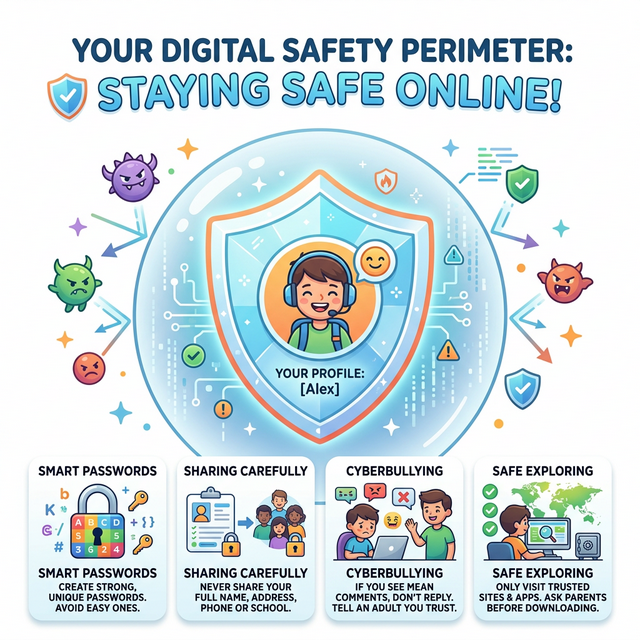
- No PII (Personally Identifiable Information): Usernames should never include real names, birth years, or school locations. Example: Instead of "AlexSmith2018," use "NeonKnight42."
- Browser Sandboxing: Use browsers with built-in tracking protection. On Kids Land, we recommend using a dedicated "Edu-Profile" in Chrome or Safari that doesn't save credit card info or autofill addresses.
- The "Cam" Protocol: Physical covers for webcams are essential. Even on text-only or "no-chat" sites, the habit of "Camera Off by Default" is a vital safety skill.
3. Stranger Danger in the 2020s: The "Pivot"
The concept of "Stranger Danger" has evolved. In gaming, it's often not a person but a "Pattern."
- Data Mining Phishing: Teach children that any game asking for their "pet's name" or "favorite color" might be trying to guess passwords.
- In-App Social Pressure: Even in ad-free environments, kids may feel the need to "Show Off." Reinforce that their value is in their skill, not their digital footprint.
4. Emotional Safety & The Dopamine Loop
Digital safety includes mental health. Gaming can trigger high-dopamine feedback loops.
- The "High-Stress" Check: If a game like Speed Math is making your child frustrated, teach them the "Power Down" strategy. Taking a 5-minute breather isn't losing—it's "Recharging the Mana."
- The 30/10 Rule: 30 minutes of high-intensity gaming followed by 10 minutes of "analog" movement (stretching, water, looking out a window).
5. Age-Appropriate Milestones
Ages 5-7: The Guided Explorer
- Parents should be in the room.
- Focus on "Closed-Loop" sites like OMG.LAND that have no open-chat features.
- Objective: Learning that the "X" button is always an option.
Ages 8-10: The Independent Scout
- Use "Common Area" gaming (no gaming in bedrooms).
- Objective: Learning to identify "Bad Content" and reporting it to a parent immediately without fear of losing screen time privileges.
6. The "Digital Contract" (A Template for Families)
Create a physical document signed by both parent and child.
- "I will only play on approved sites (like OMG.LAND)."
- "I will tell a parent if I see something that feels 'weird' or scary."
- "I will respect the 'Timer' without complaining, knowing that play time is a privilege earned through my responsibilities."
7. Closing Thoughts
The internet is a vast library, a global arcade, and a future workplace. By starting with safe, curated environments and open communication, you aren't just protecting your child—you are empowering them.
Stay informed with our latest Parental Tech Reviews and Safety Checklists.
This resource is designed to support high-quality educational engagement. For more safe gaming resources, explore our Guides section.